
Batch Highlight Citations in Blue for Zotero and EndNote
Need
Citation marks are often not visually prominent enough. In many cases I need to change all citation fields to a specific color, usually blue. Editing them one by one is slow and inelegant, so I recorded this macro-based method for later reference.
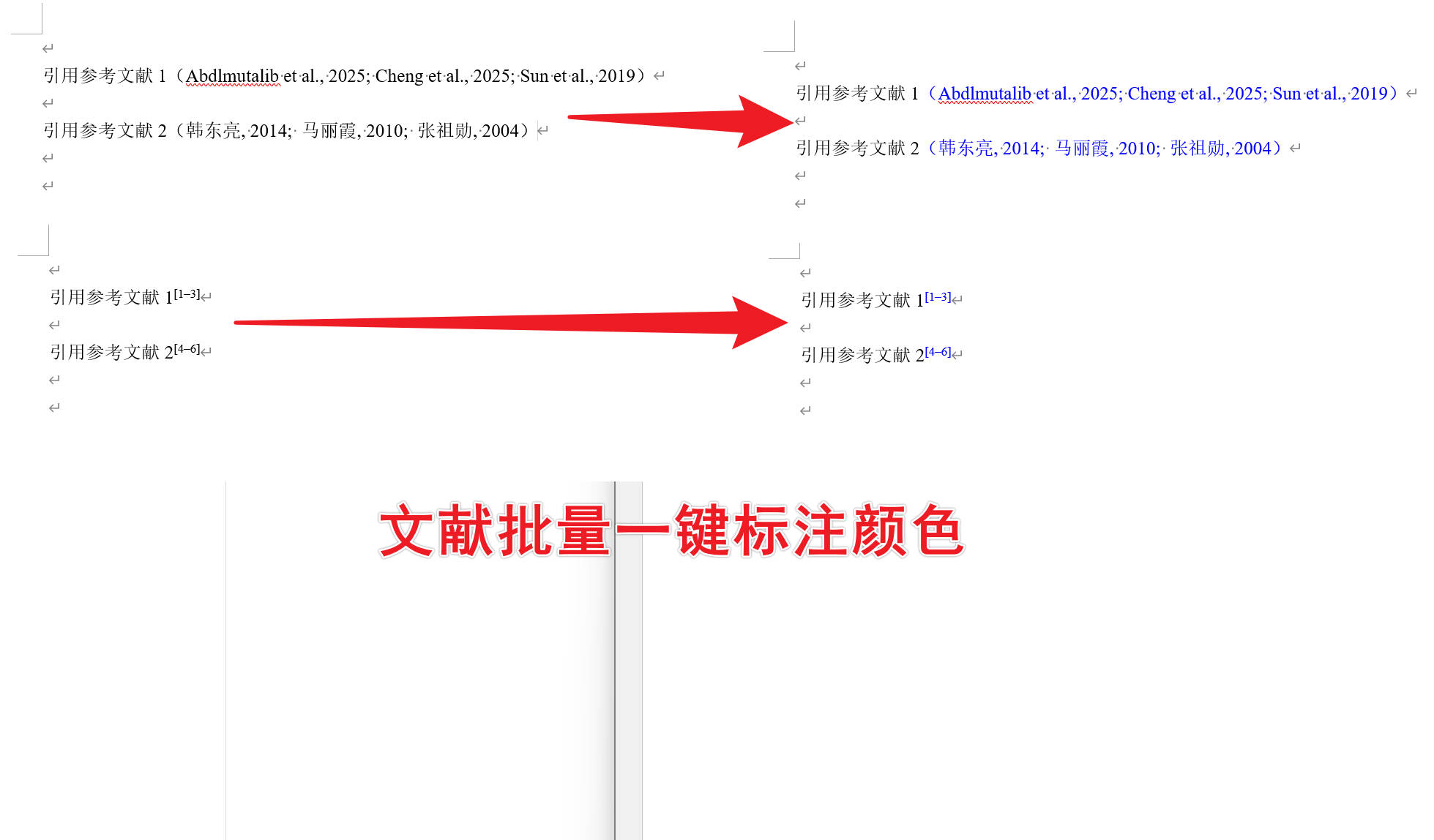
Workflow
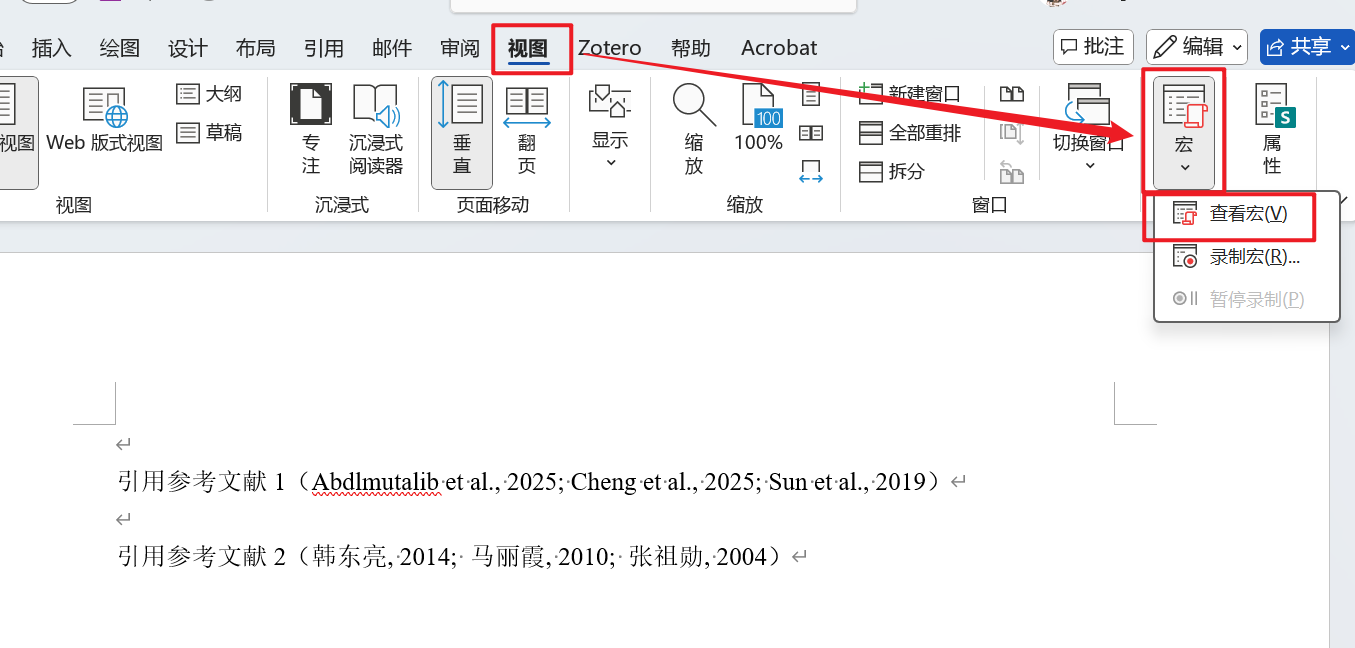
1. In Word, open View -> Macros -> View Macros
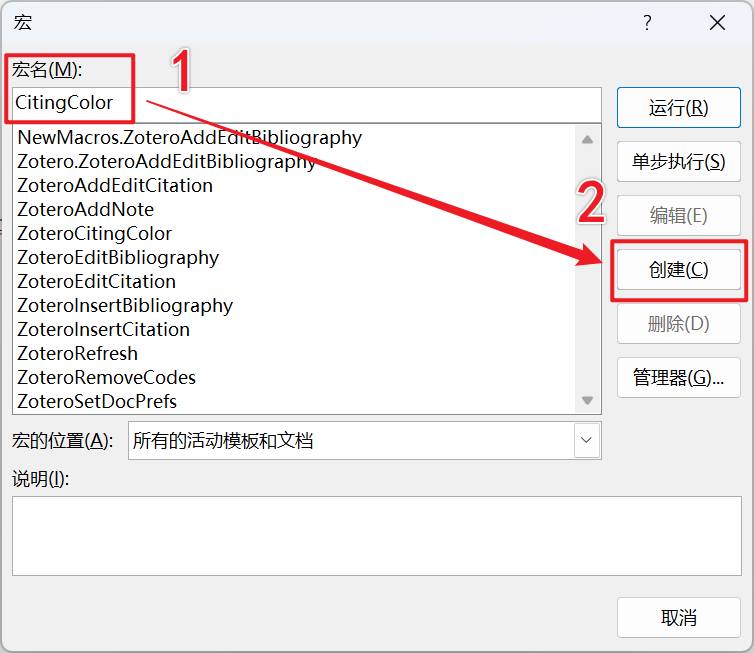
2. Add a macro
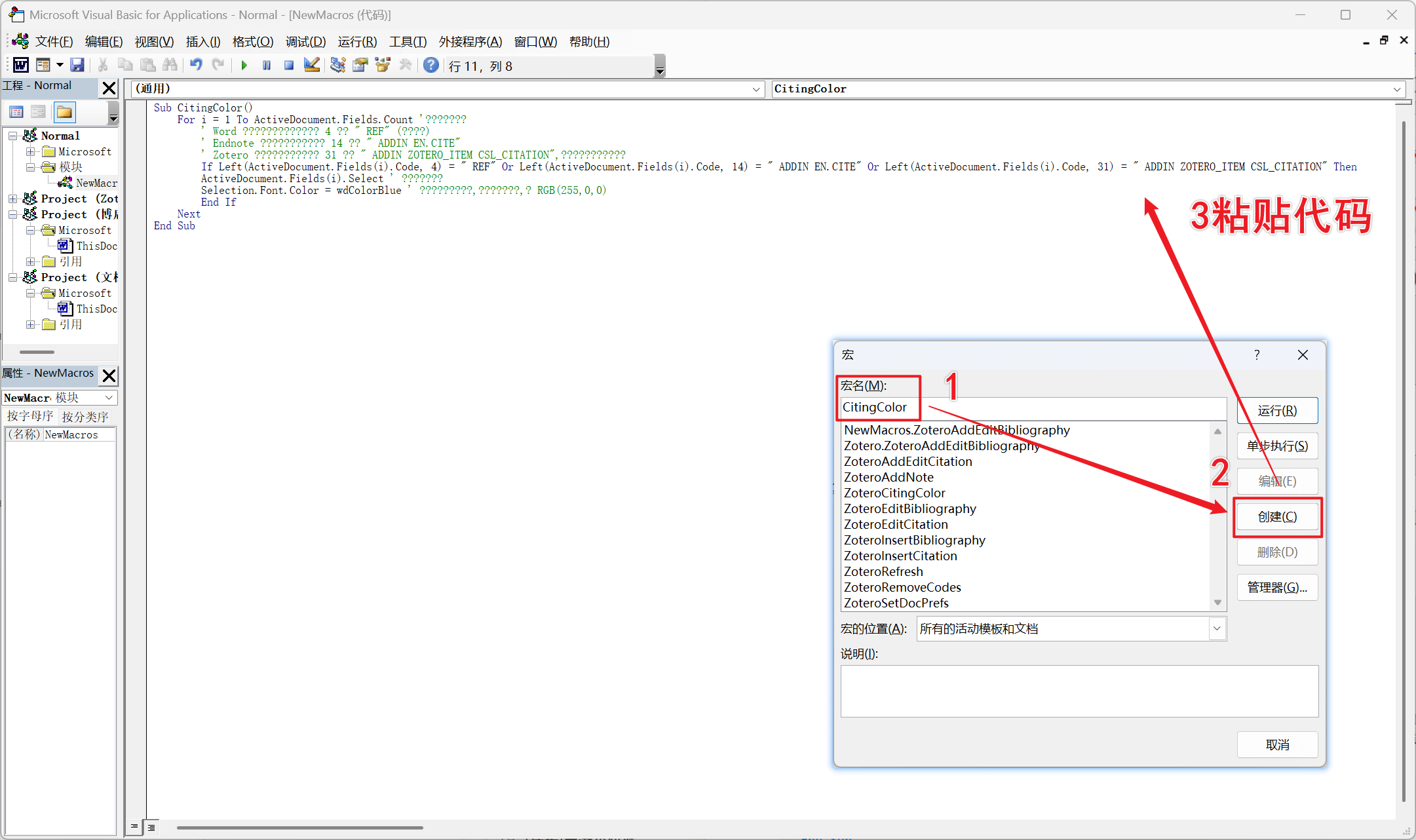
The code is:
1 | Sub CitingColor() |
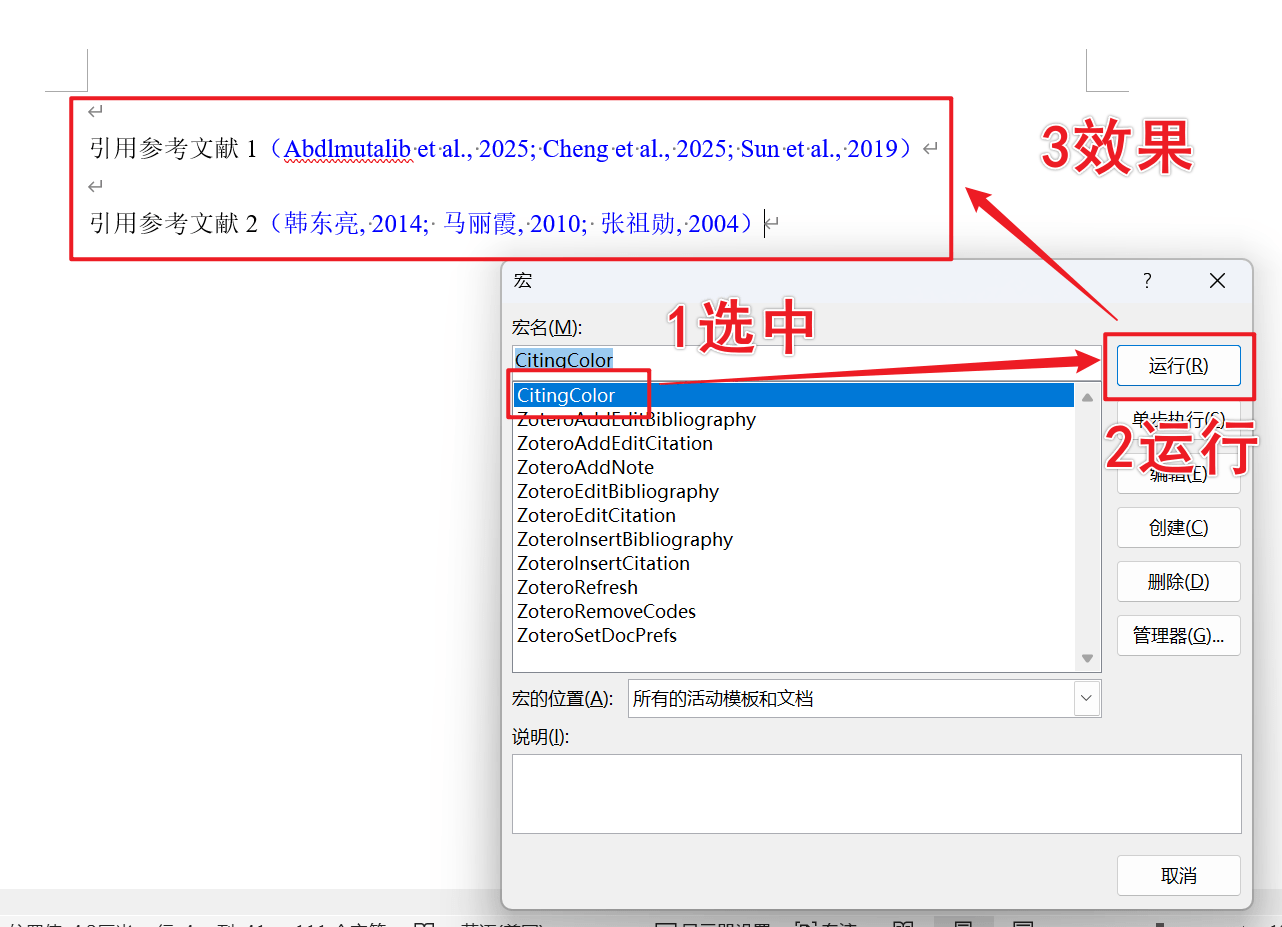
3. Run the macro
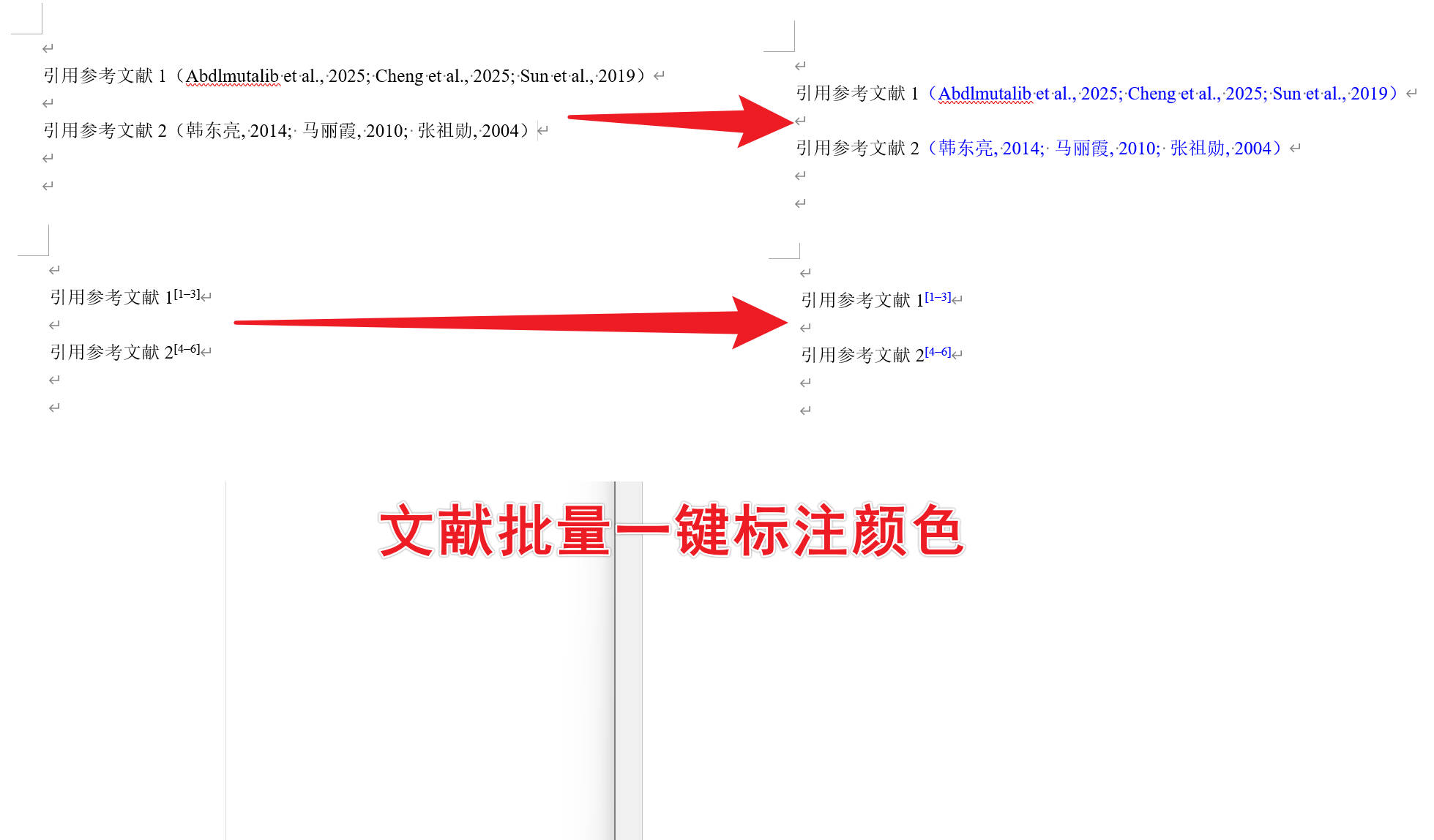
Run the CitingColor macro. It will automatically change all matched citation fields in the document to blue.
In my test, this worked for both author-date and numbered citation styles.
Reference
All articles on this blog are licensed under CC BY-NC-SA 4.0 unless otherwise stated.
 Wechat
 Alipay
Related Articles
2025-08-20
文献引用批量标注蓝色-Zotero/EndNote
分享找到的快速将Word中的参考文献改为指定颜色的宏脚本,可适用于Zotero和EndNote等软件所生成的引文格式,支持多种引用格式。
2020-11-10
Word 公式字体替代方案
Translation pending: this page is scaffold content and keeps original Chinese content for reference. word 自带的公式编辑器挺好用,相对 MathType 需要破解、行间距经常出莫名其妙的 bug 而言, word 自带编辑器好用很多。但是,其自带字体为 Cambria Math,无法调为 Time New Roman 字体。在网上检索发现,可以使用 XITS Math 等方案进行替代。 字体对比 XITS Math 下载地址 Asana Math 下载地址 Latin Modern 下载地址 安装方法 下载字体压缩包或文件 选中要安装的字体 (*.otf),右键安装 打开 Word,点击公式工具->设计->转换->公式选项->常规->公式区的默认字体,设置为你下载的格式,大功告成 详细安装教程 注意由于他人电脑上可能没安装该字体(如打印店等),最好是更改 word 的默认选项,将字体嵌入文件。
2024-03-08
zotero批量修改条目语言解决”等”和”et al”混排问题
在使用 Zotero 进行参考文献管理时,当采用 GB/T-7714 标准进行中英文混排时,可能会遇到“等”和“et al”的问题。本文提供了详细的分步指南,介绍如何通过修改语言设置来解决此问题。该指南包括使用 JavaScript 代码的具体步骤,以及运行截图以帮助用户可视化该过程。
Comments

![[徒步]宁波九龙爱心线](https://i.cuger.cn/b/d3c7f637-f0a4-4cfb-8e2b-23631aaba006.jpg)

![[出差]内蒙草原风光](https://i.cuger.cn/b/0039bc8f-15e8-4039-a286-9fb1d1af9e33.jpg)